
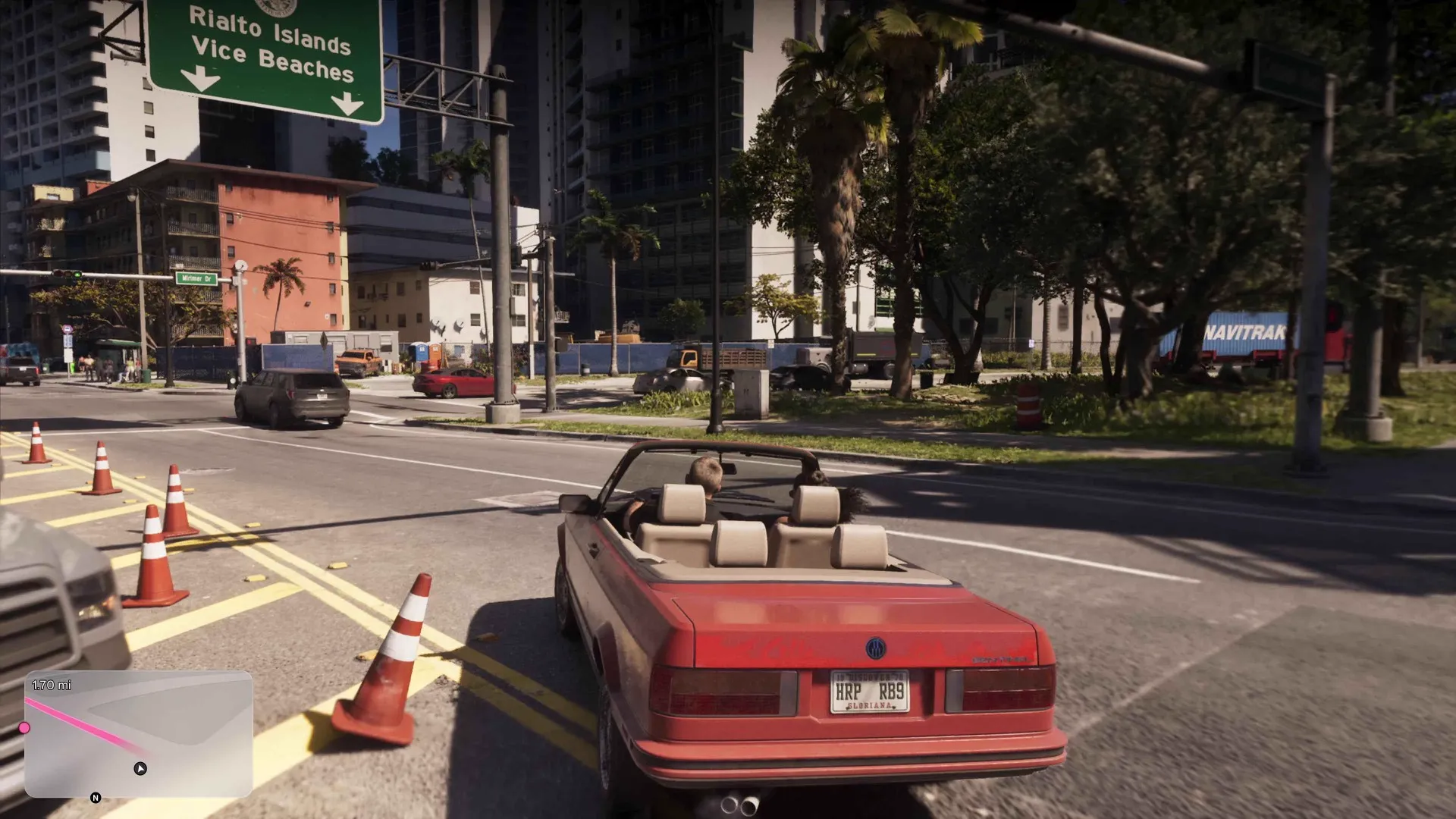
Rockstar is trying a default HUD that hides itself: tap D-pad down and cash, stat bars and a 3D minimap appear, then fade. Classic and compass modes exist, interiors render blue on the map, and police never appear on the minimap.
- The default HUD keeps the screen clean: tapping D-pad down shows cash, stat bars and the minimap temporarily, then they fade.
- Confirmed visibility options: the fade default, a classic always-on minimap, a Red Dead style compass, or hiding it entirely.
- The minimap renders buildings in 3D, and buildings with interiors show blue on both the minimap and the main map.
- A quick waypoint takes one gesture: hold D-pad down and click R3 on a point of interest in your line of sight.
- Police no longer appear on the minimap; you track them by red search zones and a new cop-light direction indicator.
The Claim: A HUD That Hides Itself
Start with the strongest receipt in this file, a direct Rob Nelson quote from the press sessions: “We’re trying it in the default mode to keep the screen clean. Tapping D-pad down will bring up HUD info you need.” In practice that means your cash, your stat bars and the minimap appear on demand, hold for a moment, then fade away. Note his verb. Rockstar is trying this as the default, which is a softer commitment than shipping it, and I price it accordingly.
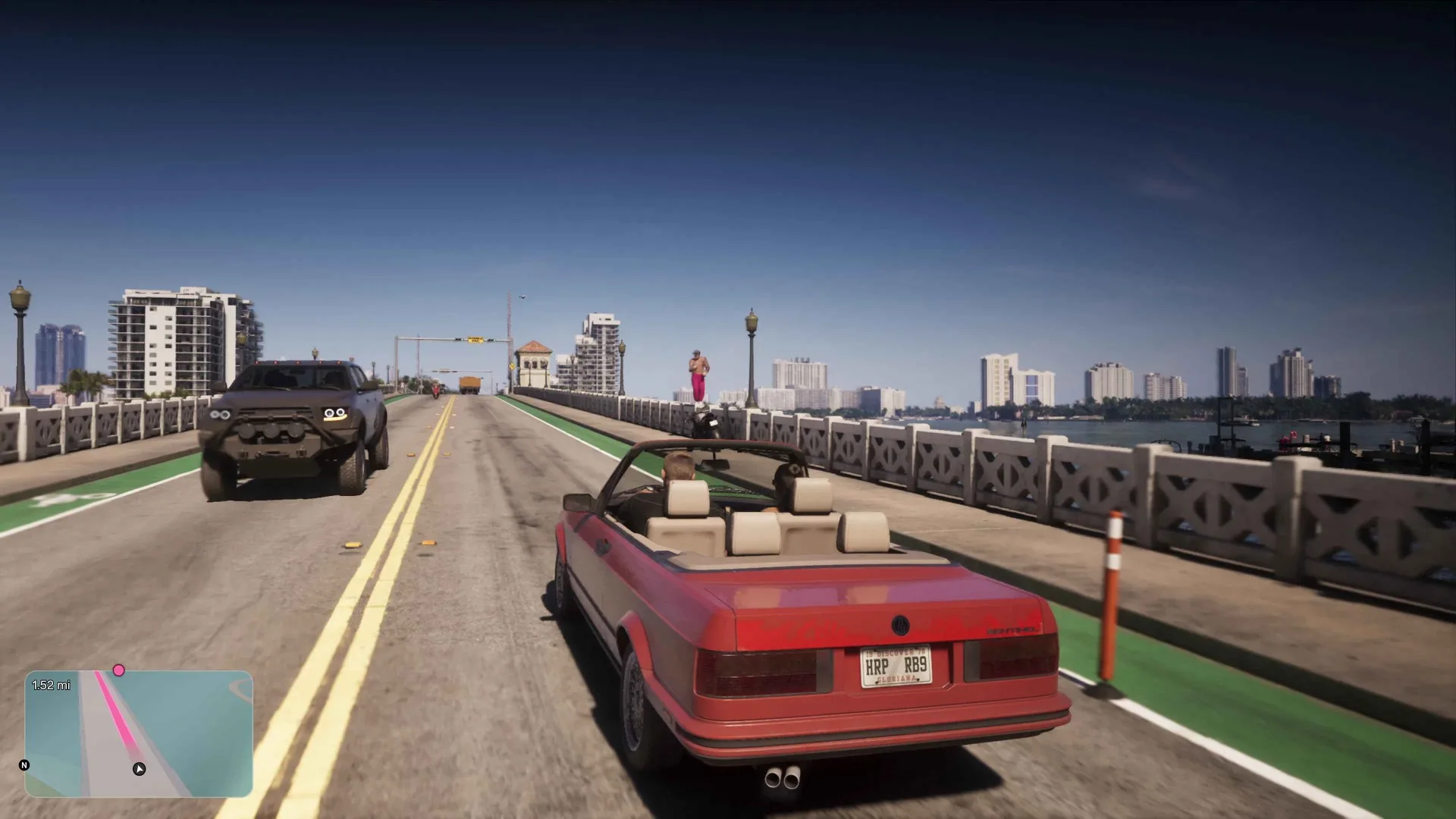
The rest of the HUD follows the same less-is-more logic. Health, stamina and Focus bars sit top left when summoned. The money readouts stack top right, and the money guide owns that ledger. An oxygen meter appears when you scuba dive, a fuel readout only surfaces when the tank runs low per the fuel guide, and the wanted stars now carry icons showing what police actually know about you, which the wanted system guide unpacks. Every element earns its screen time or loses it. That is the design thesis this page tests.
The minimap itself is styled as a phone GPS. Frame analysis of the driving footage spots the iFruit logo on the map, Rockstar’s Apple parody playing Apple Maps, with roads rendered down to individual lanes and the pink route line sitting in the specific lane you should be driving in, proper lane guidance rather than a painted stripe. The same reading has the map’s tint shifting with time of day and location, so the GPS at midnight does not look like the GPS at noon.
The Four Ways to Run Your Minimap
The hands-on accounts agree the settings menu offers more HUD customisation than any previous GTA. Four visibility arrangements are confirmed across the press wave:
- Fade default: the minimap and HUD appear when you tap D-pad down, then clear off screen. Famitsu states the on-foot behaviour flat: no minimap on foot by default, it appears when you drive or set a waypoint.
- Classic mode: the minimap stays on all of the time, toggled in the menu, for players who want GTA 5 back.
- Compass mode: a directional compass replaces the minimap entirely, the Red Dead Redemption arrangement transplanted to Vice City.
- Hidden: options exist to fully disable the minimap and navigate on road signs and memory.
One hands-on player summarised the menu as tons of options you can set up the way you want, and placement is on the list too: the minimap can sit on the left or the right side of the screen. I would still like a settings screen capture rather than a recollection, but four independent accounts describing the same modes is a solid book. One caveat from the Famitsu material applies to this whole page: Rockstar says the UI is being kept as simple as possible and is still in progress, so details can shift before November.
The 2D or 3D Toggle Dispute
Here is the one entry in this file where the accounts disagree, so it gets flagged rather than smoothed over. One hands-on account initially reported that you could toggle the minimap between 2D and 3D, then publicly walked it back a day later: “I said you could toggle the mini map between 2D and 3D. That was my bad.” The correction replaced the claim with Rob Nelson’s own list, which names the fade default, classic mode and compass mode and says nothing about a dimensional toggle. Another hands-on account, published separately, states players can choose between two-dimensional and three-dimensional minimaps or hide the map altogether. A third video repeats the toggle claim, but cites the first account’s original notes, the ones that were later corrected, so it adds no independent weight.
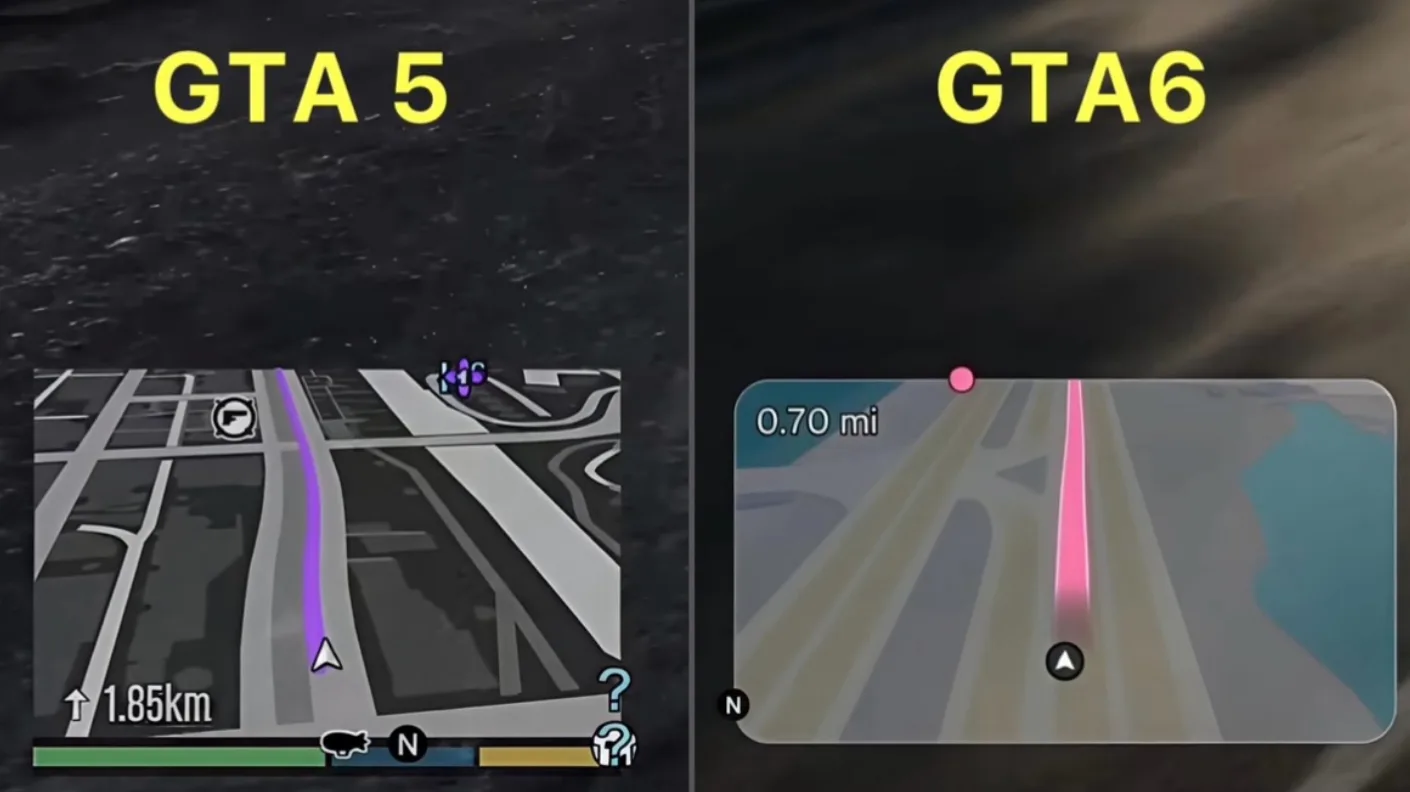
Ledger entry: 3D minimap rendering, confirmed. A player-facing 2D switch, unresolved.
Blue Buildings and the 3D Minimap
Whatever the toggle situation, the minimap itself renders in 3D, with buildings rising from the streets in what one preview called a snazzy Google Maps style view. The renovation goes past looks. Buildings that contain interiors appear blue on the minimap and the main map, while buildings you cannot enter stay grey. Blue means at least a partial interior, so a high-rise might offer a lobby, a floor or two and a roof deck rather than every storey. Frame-counters put the blue share at roughly 20 to 50 percent of buildings in view, an estimate from footage rather than a Rockstar figure. Entrances register as small white squares, though visibly not all of them.
The best detail is proximity rendering. Walk up to a blue building and the minimap starts drawing the interior itself, its floor plan rendered in 3D inside the building outline. The creator who spotted it called this the biggest minimap development since GTA 3, and on the evidence I agree. One practical caveat from the same analysis: during a wanted level the red overlay drowns the blue tint, so you cannot shop for a hiding place mid-chase. Scout first. What actually waits inside those buildings is catalogued in the interiors guide.
Waypoints, Blips and the Touchpad Map
Navigation got faster. Per Rob Nelson, setting a quick waypoint is one gesture: hold D-pad down and click R3, and waypoints and points of interest pop up in your line of sight for you to pick. No pause screen, no cursor. Set a waypoint this way and the minimap stays up instead of fading, a sensible exception to the clean-screen rule. The full map now lives directly on the touchpad, with the options button still available as the long way round.
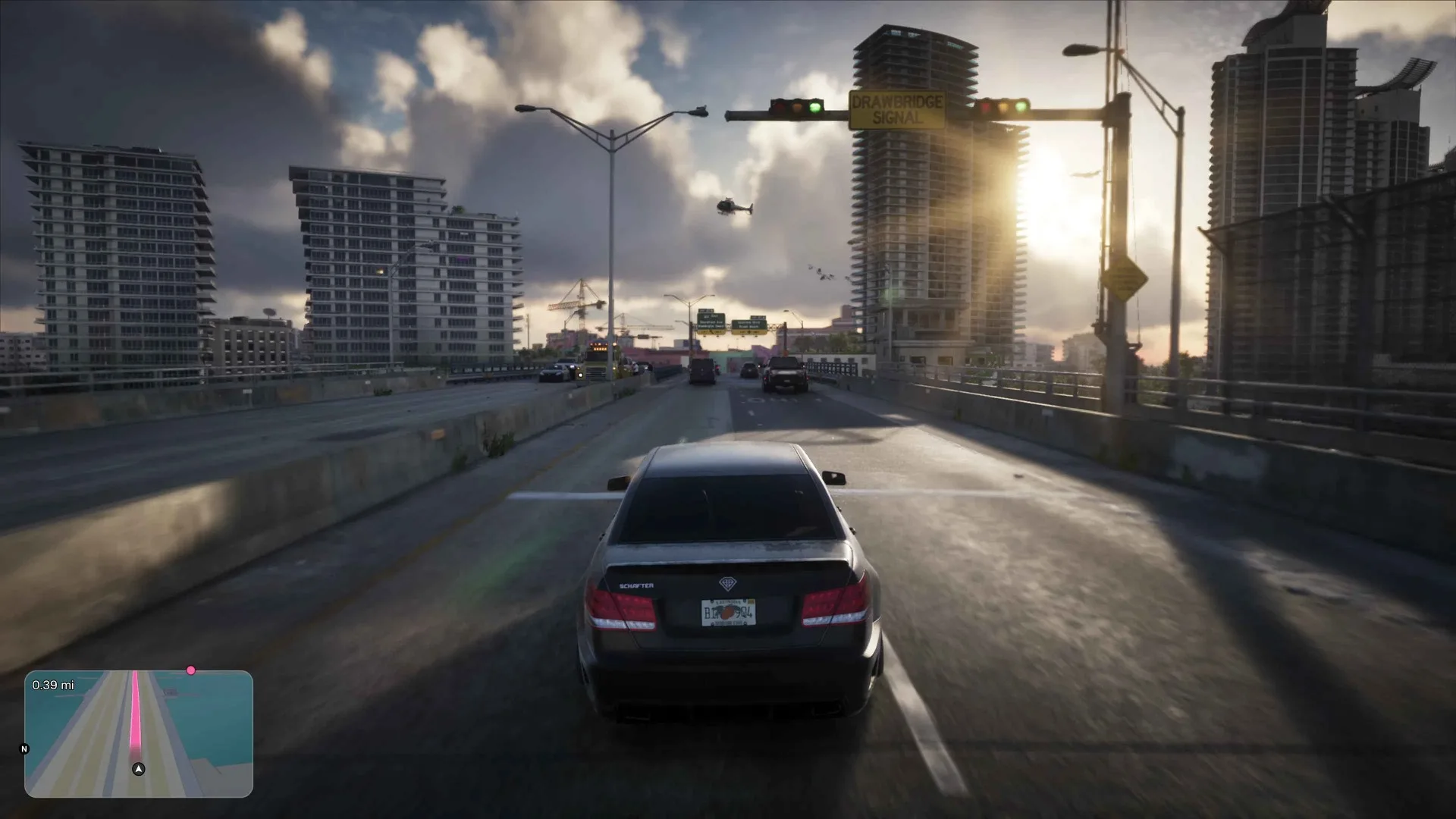
Colour carries information. Mission waypoints draw in pink or magenta, custom waypoints in teal or cyan, a palette one preview noted is simply the Vice City colour scheme doing double duty as UI. Blip iconography looks familiar: a single analysed frame shows a gym, a mod shop, a bar, a safe house and a mission marker, and bus stops register on the minimap too. Route lines carry a live distance readout as well, counting down in miles as the marker gets closer. Nothing exotic, which is the point. The map language of the last two decades still reads.
A Satellite Map Under Fog of War
The pause map got the same upgrade. IGN describes satellite imagery replacing the rudimentary blocks-and-streets look of previous GTA maps, and a second hands-on account uses the same satellite wording independently. Two matching receipts, entered as confirmed.
You will not see much of it at first, because fog of war returns. The creator who glimpsed the full map in the hands-on build had about three seconds with it and reported most of it covered, and a second creator confirmed the fog separately. Rockstar is keeping the state map shape off camera for now, which tells you how much of it is meant to be a surprise. No account describes how the fog actually lifts, whether by district, by street or by line of sight, so file the mechanics as unknown beyond the fact of the fog’s return. For the parts already mapped from trailers, leaks and the Extended Look, our interactive map holds the current picture.
What the Minimap Hides During a Manhunt
Now the deliberate removal. Police no longer appear on the minimap. Rob Nelson’s stated reason, relayed by two separate accounts, is that you should not be able to stare at the minimap from an alley and watch cop blips drift past. GTA 5 showed you every officer and their vision cone; GTA 6 makes you look out the windscreen. The removal reaches past the police, too: enemies in general stay off the map, and the blips that survive are friendly, allies in cyan or pink and race opponents in white, per frame readings of the footage. What you get instead is honest but partial: red search zones drawn on the minimap, a dark red inner circle inside a lighter outer ring, which linger even after you have slipped the area, and a new cop-light indicator at the bottom of the screen that flashes red and blue from the direction the police are coming. At six stars the red reportedly swallows the whole map. The persistence detail deserves a second look. Because zones outlast your presence, the minimap now records where the police think you are rather than where you are, a small but genuine information game. Escape mechanics, star by star, live in the wanted system guide.
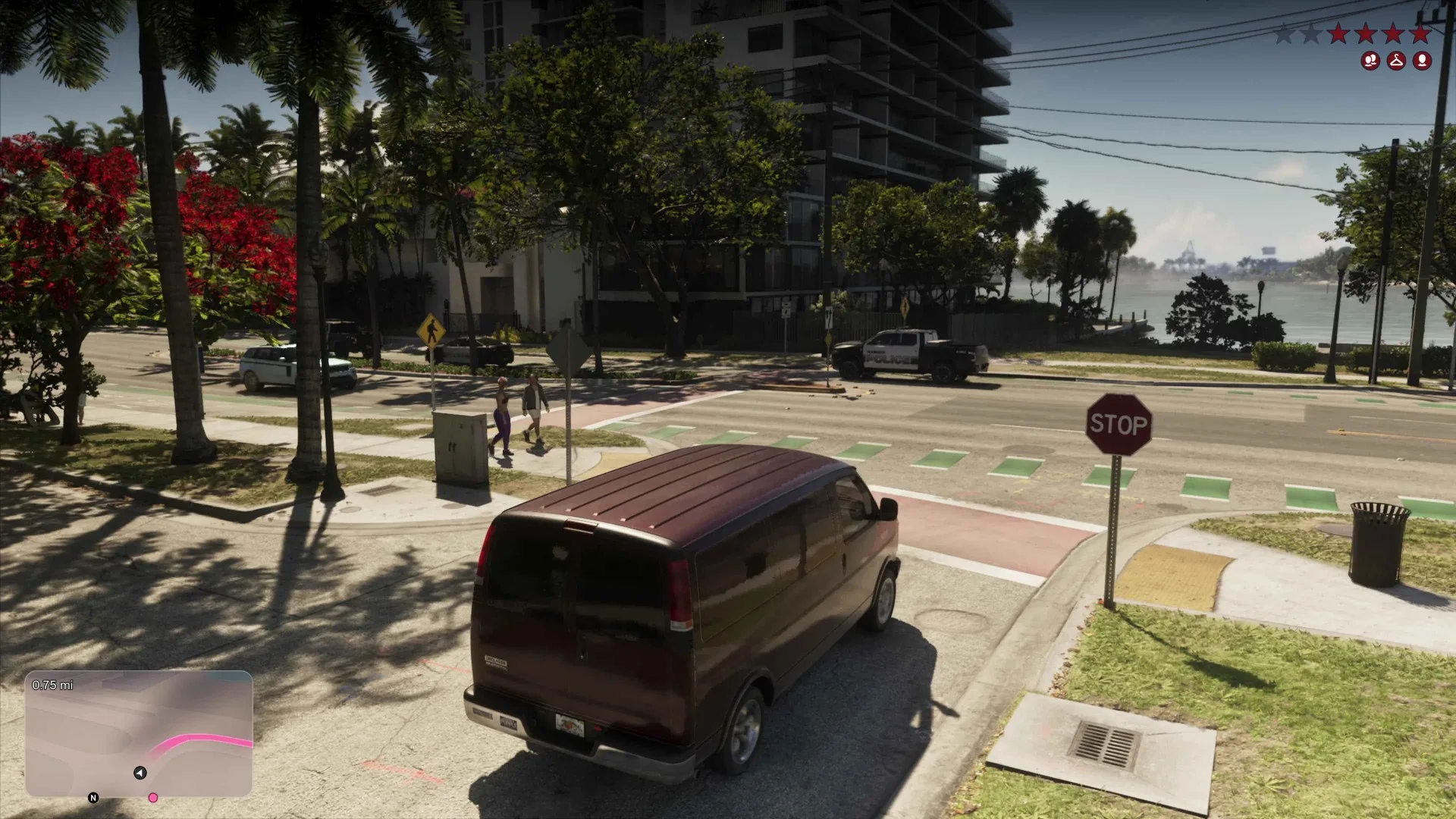
Reception, for the record, is split. Post-showcase criticism targeted the whole HUD layout, stars, bars and minimap alike, and at least one streamer flatly prefers GTA 5’s minimap. The strongest counterpoint came from within the community itself: UI is one of the last things a studio finalises, so this HUD is the single most likely thing in the Extended Look to change before 19 November. My own ledger reads differently to the complaints. A HUD that hides itself, a minimap that draws floor plans and a police force you cannot track from an alley are three deliberate bets on immersion over convenience. Whether players honour those bets, we find out at launch.
The Ammo Counter and the Race Stack
Two readouts the minimalist pass leaves alone. Frame analysis of the apartment shootout by the GamesRadar show GTA 6 O’Clock catches a pistol HUD reading 17/83, magazine and reserve, alongside a pickup prompt naming the weapon on the floor, L1 to grab a Mand 850 shotgun. The classic ammo counter survives.
Racing stacks its own layer on top. The leaked race footage shows a lap counter at lap 1 of 2 and a position tracker at 11 of 16, with dirt bike grids running up to 12 riders elsewhere in the clips. Race opponents stay white on the minimap, per the frame readings logged above, so the race HUD extends the standard map language rather than replacing it.
Discussion
Comments · HUD, Minimap and Map
No comments yet.
Loading comments…