
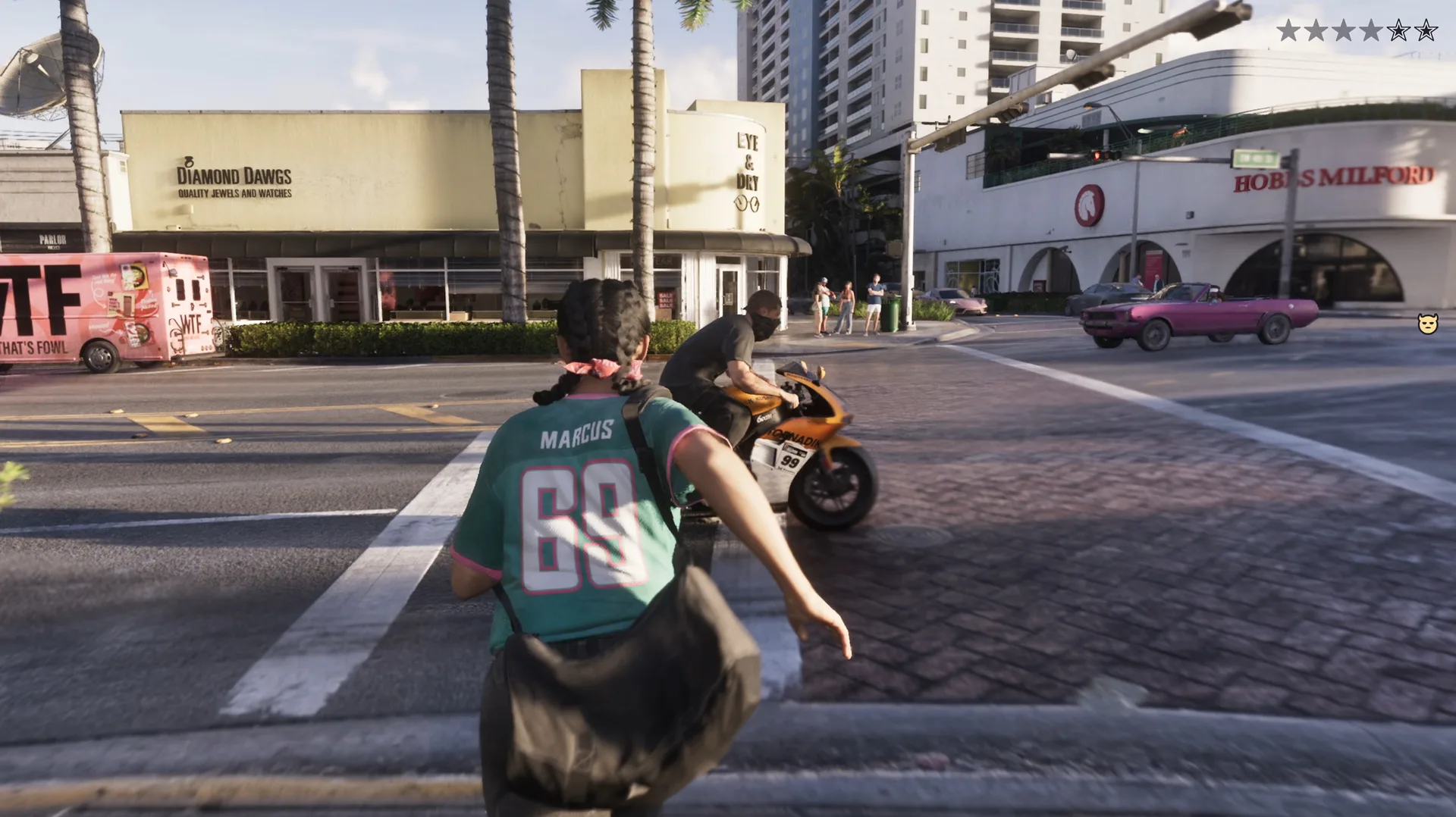
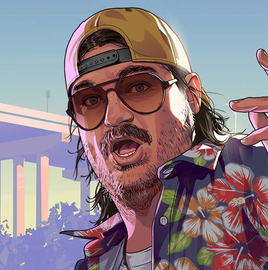
Rockstar has not published a controls screen, but prompts in the footage and the October hands-on sessions pin down the key inputs: L3 sprint, R1 cover, X handbrake, touchpad map. Here is every confirmed button, with Xbox equivalents.
- Sprint is a click of L3, cover is R1, and the handbrake has moved to X on PlayStation because L1 and R1 now shoot from the car.
- HUD appears on a D-pad down tap and fades; holding it and clicking R3 sets a quick waypoint. The full map is on the touchpad.
- Social inputs are new: hold L2 to lock a conversation, hold R2 to take Lucia’s hand, hold R3 to watch an NPC livestream.
- No Xbox footage exists. The Xbox column is the standard mapping, and the full scheme arrives with the settings menu on November 19.
What Counts as a Confirmed GTA 6 Control
Rockstar has not published a controls screen for GTA 6. Everything on this page comes from three places instead: button prompts visible in the Extended Look and the trailers, Rob Nelson’s interviews around that footage, and the hands-on wrap-ups from creators who played the game in October. Where a prompt was on screen, the input is listed as confirmed. Where a creator described it, the row says so.
The Xbox column is the standard Sony to Microsoft mapping, L3 to left stick click, R1 to RB, touchpad to the View button. Rockstar has shown nothing on an Xbox pad, so treat those cells as the expected default rather than something seen. The full scheme, presets and any remapping options will appear in the settings menu once the game unlocks on November 19, and this page will be rebuilt around it that week. Cheat inputs are a separate subject, and All GTA 6 Cheat Codes tracks what has surfaced there.
GTA 6 Controls on Foot
Movement is the part of the scheme Rockstar has talked about most. Sprint is a click of L3 and the character keeps running, no mashing, and Rob Nelson told Kinda Funny Games that you set a movement speed, normal walk or fast jog, which then becomes your default. The social inputs are the new layer: a held trigger to lock a conversation onto a passer-by, another to take Lucia’s hand, a stick click to watch whatever an NPC is streaming from their phone.
// On-foot inputs seen so far
PS5 inputs seen on screen or described by Rockstar and hands-on players. Xbox column is the standard equivalent.
| Action | PS5 | Xbox |
|---|---|---|
| Movement | ||
| SprintToggle, no mashingSeen: Extended Look, Rob Nelson | L3Click | LSClick |
| Social | ||
| Lock conversation on NPCWeapon holsteredSeen: Hands-on reports | L2Hold | LTHold |
| Hold handsSeen: Extended Look, Effluvia rooftop | R2Hold | RTHold |
| Watch NPC livestreamSeen: Extended Look | R3Hold | RSHold |
| Interaction | ||
| Eat an itemCorner shop promptSeen: Extended Look | R1 | RB |
| Gym repsTimed pressesSeen: Extended Look | L2+R2 | LT+RT |
| InteractLifts, doorsSeen: Extended Look | Context prompt | Context prompt |
Click press the stick inHold keep the button pressed
The EAT prompt sits next to a DROP prompt in the corner-shop scene, which is the first sign that inventory is handled in the world rather than a menu. For the walk, jog and sprint detail, the movement controls guide goes deeper, and the stat bars those gym reps feed are covered in the HUD guide.
GTA 6 Combat Controls
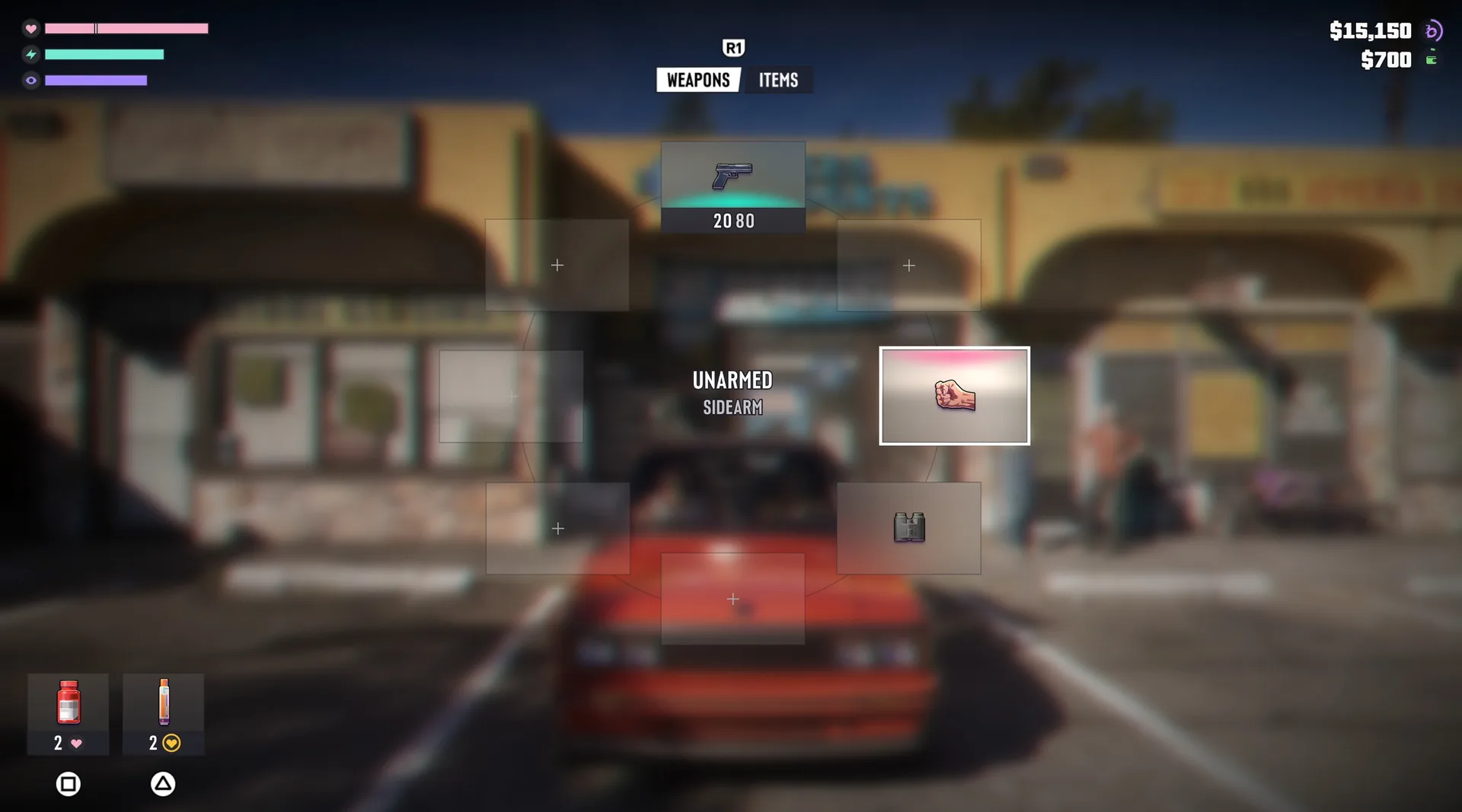
Cover is R1, and the hands-on accounts agree that fights are built around it. The weapon wheel has eight slots, two of them greyed out in the Extended Look, with an R1 tab switch between Weapons and Items visible above it. Quick-use consumables sit bottom left of the wheel with their own button icons, so a health item does not need the wheel at all. Focus, the slow-motion target painter, was shown but never with its button on screen, and the automatic swap to a sidearm when a gun runs dry needs no input.
// Combat inputs seen so far
Only the inputs with a visible prompt or a first-hand description make the list.
| Action | PS5 | Xbox |
|---|---|---|
| Take coverSeen: Hands-on reports | R1 | RB |
| Weapon wheel tabWeapons / Items, inside the wheelSeen: Extended Look | R1 | RB |
| Quick-use consumableShortcut shown on the wheelSeen: Extended Look wheel | Face button | Face button |
| Shoot while drivingSeen: Hands-on reports | L1+R1 | LB+RB |
| FocusSlow-motion aimSeen: Extended Look | Not shown | Not shown |
Shooting from the driver’s seat on the shoulder buttons is the change with the biggest knock-on effect, because it displaced the handbrake. The combat and gunplay guide covers the yellow and red Focus markers and the cover flow.
GTA 6 Driving Controls
Per TGG’s wrap-up, the handbrake has moved to X on PlayStation because L1 and R1 are now the shoot-while-driving buttons, and the translated MikeShowSha account confirms drift control lives on that face button. That is the single biggest break from two decades of GTA muscle memory. Accelerate and brake were never shown with prompts but no one who played reported them leaving the triggers.
// Driving inputs seen so far
Fuel, the handbrake and the shoulder-button guns are the three confirmed changes from GTA 5.
| Action | PS5 | Xbox |
|---|---|---|
| Handbrake / driftSeen: TGG, MikeShowSha | Cross | A |
| Shoot from the carSeen: Hands-on reports | L1+R1 | LB+RB |
| Refuel at a pumpAround 10 secondsSeen: Extended Look | R2Hold | RTHold |
| Pull a driver outSeen: August 2026 leak clip | Mash the prompt | Mash the prompt |
Hold keep the button pressed
The refuel hold is tied to the fuel gauge covered in the fuel and car damage guide. The driver-pull prompt comes from the leaked Thrax clip and is labelled accordingly; the vehicle theft guide has the rest of that system.
Aircraft, Bicycle, Swimming and Parachute Controls: Nothing Shown Yet
Planes, helicopters and airboats all appear in GTA 6 footage, but never with a cockpit prompt on screen, and no one who played in October reported flying. Bicycles, swimming and parachutes have had no prompt footage at all. Rather than invent a layout, the table below lists the GTA 5 defaults each mode is likely to inherit and marks every one of them as unseen. When a prompt surfaces, the row moves up into the confirmed tables.
// Modes with no GTA 6 prompt footage
GTA 5 PlayStation defaults shown for reference only. None of these has been seen in GTA 6.
| Mode | GTA 5 default (PS) | GTA 6 status |
|---|---|---|
| Aircraft | R2throttleL2brakeL1+R1rudderL3Clicklanding gear | Not shown, expected carry-over |
| Boats | R2throttleL2reverse | Airboats in footage, no prompts |
| Bicycles | CrosspedalR1bunny hop | Not shown |
| Swimming | CrossswimLeft stickdive and surface | Not shown |
| Parachute | CrossdeployTriangledetachL1+R1brake | Not shown |
Click press the stick in
HUD, Map and Waypoint Controls
The screen is clean by default. A tap on D-pad down brings up the HUD, cash, stat bars and minimap, which then fades again. Per Rob Nelson, setting a quick waypoint is one gesture: hold D-pad down and click R3, and the points of interest in your line of sight pop up to choose from. Set a waypoint that way and the minimap stays visible instead of fading. The full map lives on the touchpad, with the Options button as the long way round.
// HUD and map inputs seen so far
The touchpad has no Xbox equivalent, so the View button is a guess based on past Rockstar ports.
| Action | PS5 | Xbox |
|---|---|---|
| Show HUD brieflyFades again after a momentSeen: Extended Look | D-pad downTap | D-pad downTap |
| Quick waypointPoints of interest in line of sightSeen: Rob Nelson | D-pad downHold+R3Click | D-pad downHold+RSClick |
| Full mapSeen: Rob Nelson | Touchpad | ViewExpected |
| Pause / menusSeen: Rob Nelson | Options | Menu |
Tap one quick pressHold keep the button pressedClick press the stick inExpected standard equivalent, not yet seen
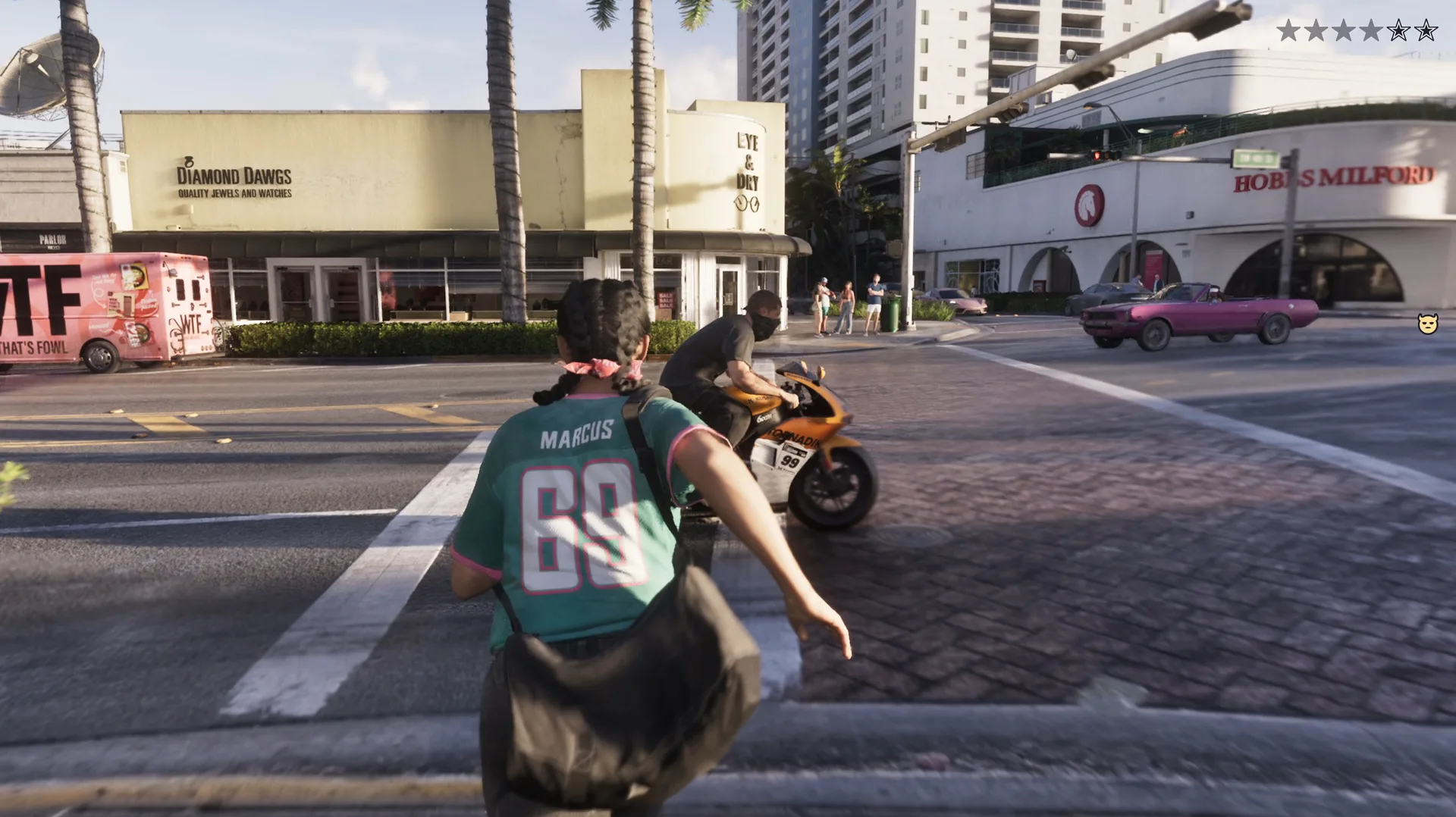
Phone shortcuts have not been shown with a prompt even though the phone replaces most of GTA 5’s pause menus. What the apps do is in the phone apps guide; the button that opens them is still an open question.
Character Switching Controls
Switching between Jason and Lucia runs through a wheel on R1, the same button family as cover and the weapon wheel tabs. In the Extended Look the swap happens mid-scene while both are on screen, and the creators who studied the footage read it as a gameplay tool rather than a cutscene device. The character switching guide covers what each lead can be doing when you leave them.
GTA 6 Controls vs GTA 5: What Has Changed
Seven inputs have moved or appeared since GTA 5, and between them they explain most of the complaints and most of the praise in the hands-on write-ups. Sprint and handbrake are the two that will trip up returning players. The waypoint gesture and the HUD tap are the two that make the clean screen workable. Everything in the table rests on a visible prompt or a named account, and the GTA 5 column is the default PlayStation scheme from that game.
// Seven changes from the GTA 5 scheme
PlayStation inputs in both columns. Sources are the Extended Look prompts, Rob Nelson, and the TGG and MikeShowSha hands-on accounts.
| Action | GTA 5 | GTA 6 |
|---|---|---|
| SprintSource: Extended Look, Rob Nelson | CrossTaprepeatedly | L3Clickonce |
| HandbrakeSource: TGG, MikeShowSha | R1 | Cross |
| Shoot from a vehicleSource: Hands-on reports | L1 | L1+R1 |
| Switch characterSource: Extended Look | D-pad downHold | R1wheel |
| HUD and minimapSource: Extended Look | Always on | D-pad downTapthen fades |
| Set a waypointSource: Rob Nelson | Pause map cursor | D-pad downHold+R3Click |
| Weapon wheelSource: Extended Look | One wheel | R1Weapons / Items tabs |
Tap one quick pressClick press the stick inHold keep the button pressed
GTA 6 Xbox Controls: What Is Actually Known
Nothing. Every prompt in every piece of official footage shows PlayStation glyphs, and the October hands-on sessions ran on PS5 and PS5 Pro. The Xbox column above is the conventional mapping Rockstar used for GTA 5 and Red Dead Redemption 2 on Microsoft hardware, so it is very likely correct, but likely is not seen. The two real unknowns are what replaces the touchpad map shortcut and whether Xbox gets the same quick-waypoint gesture.
GTA 6 Controls FAQ
- Can you remap controls in GTA 6?
- Unknown. GTA 5 offered fixed presets rather than free remapping, and nothing shown so far indicates which way GTA 6 goes.
- Is the handbrake still on R1?
- No, on PlayStation it is X, because L1 and R1 now shoot from the car. This comes from the hands-on wrap-ups, not an official sheet.
- How do you open the map in GTA 6?
- Press the touchpad on PS5. The Options menu still gets there the long way.
- Does GTA 6 have a classic control layout?
- Not shown. If one exists it will surface in the settings menu at launch.
- Is there gyro or adaptive-trigger support?
- Rockstar has not said. The PS5 Pro extras it confirmed concern resolution and ray tracing, not the controller.
Discussion
Comments · Controls
No comments yet.
Loading comments…