

GTA 6 ships with slow sticks, a walking pace and a minimap that hides. None of it is fixed. This page lists the settings worth a look, tab by tab, with the default for each and a suggested value you are free to ignore.
- Look and aim sensitivity are low by default. Try 9 or 10.
- The dead zone starts at 4. On a pad that does not drift, 3 for the left stick and 2 for the right is tighter.
- Targeting starts on Partial, with Free Aim and Lock On as the other two choices.
- The minimap is Dynamic by default and can be set to Always On. The compass is off until you turn it on.
- The game runs at 30 frames per second on every console, and no setting changes that.
Ten Settings and Their Defaults
The ledger first. These are ten settings with a default on record, and a value to try. The suggestions are picks from one creator and two written guides, so they are a matter of taste and not a rule.
// The settings ledger
Tab, default, a value to try and the reason.
| Setting | Tab | Default | Try | Why |
|---|---|---|---|---|
| Look and aim sensitivity | Controller | Low | 9 or 10 | The camera turns faster |
| Aim response curve | Controller | Standard | Linear | Aim follows the stick exactly |
| Dead zone | Controller | 4 | 3 left, 2 right | Less slack, on a pad that does not drift |
| Touch Pad Button or View Button | Controller | Map | Map | Set it to Camera once to pick a camera distance, then set it back |
| Targeting system | Gameplay | Partial | Free Aim | More control over each shot |
| Shooting Assist | Gameplay | On | Leave it | It helps at close quarters |
| Movement speed | Gameplay | Walk | Run | A full push of the stick jogs |
| Minimap | UI | Dynamic | Always On | It no longer hides on foot |
| Compass | UI | Off | On | A bearing at the top of the screen |
| Reticle | UI | Complex | Simple | A plain circle that shows the spread |
Controller
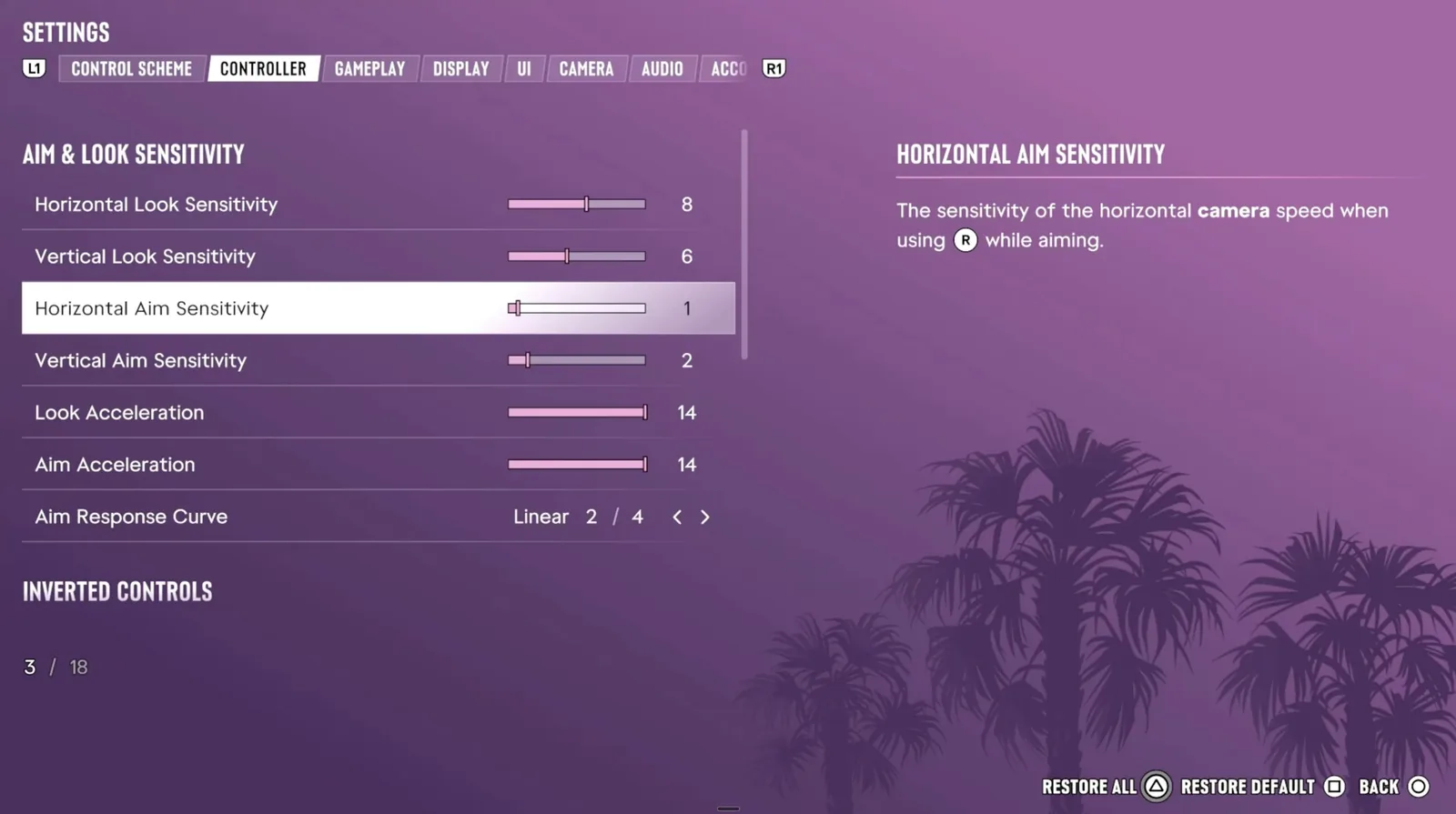
Look and aim sensitivity are set apart, and both start low. The aim response curve has four shapes. Standard balances speed and precision. Linear matches the raw input of the stick. Precision slows the aim while the stick is partly pushed, and Aggressive is always fast. The dead zone at 4 is there to hide stick drift, so lower it only as far as your pad allows.
The buttons and the three control schemes are in the controls guide. This page is about the menus.
Gameplay
Partial pulls the aim towards a nearby target and does not lock on. Free Aim leaves the work to you, and Lock On takes the nearest enemy. A slider sets the strength of the aim assist. Drive-By Assist targets nearby enemies for you while you drive. Movement speed set to Run still walks on a light push of the stick.
Camera
Weapon Sway, Camera Shake and Camera Bob each have a switch. Turn Weapon Sway off for a steadier crosshair. Two more sliders set how often the kill shot camera and the crash camera cut in, from off to the maximum. The vignette cannot be switched off.
Display
The game runs at 30 frames per second on every console, and there is no performance mode to pick. GTA 6 World’s report on the PS5 Pro has Rockstar’s statement of November 10. What is left is taste: motion blur, where the creator suggests 2 or 3 and one written guide prefers it off or at 1, the strength of the screen-edge effects, and a toggle for dismemberment and gore.
UI
Dynamic shows the minimap while you drive, with a waypoint set and in combat, and D-pad Down brings it up for a few seconds. Always On and Off are the other choices. The reticle can be Complex, which changes with the weapon, Simple, a Dot or Off. Hit markers, subtitles, blip sizes and pop-ups each have a switch of their own.
Accessibility
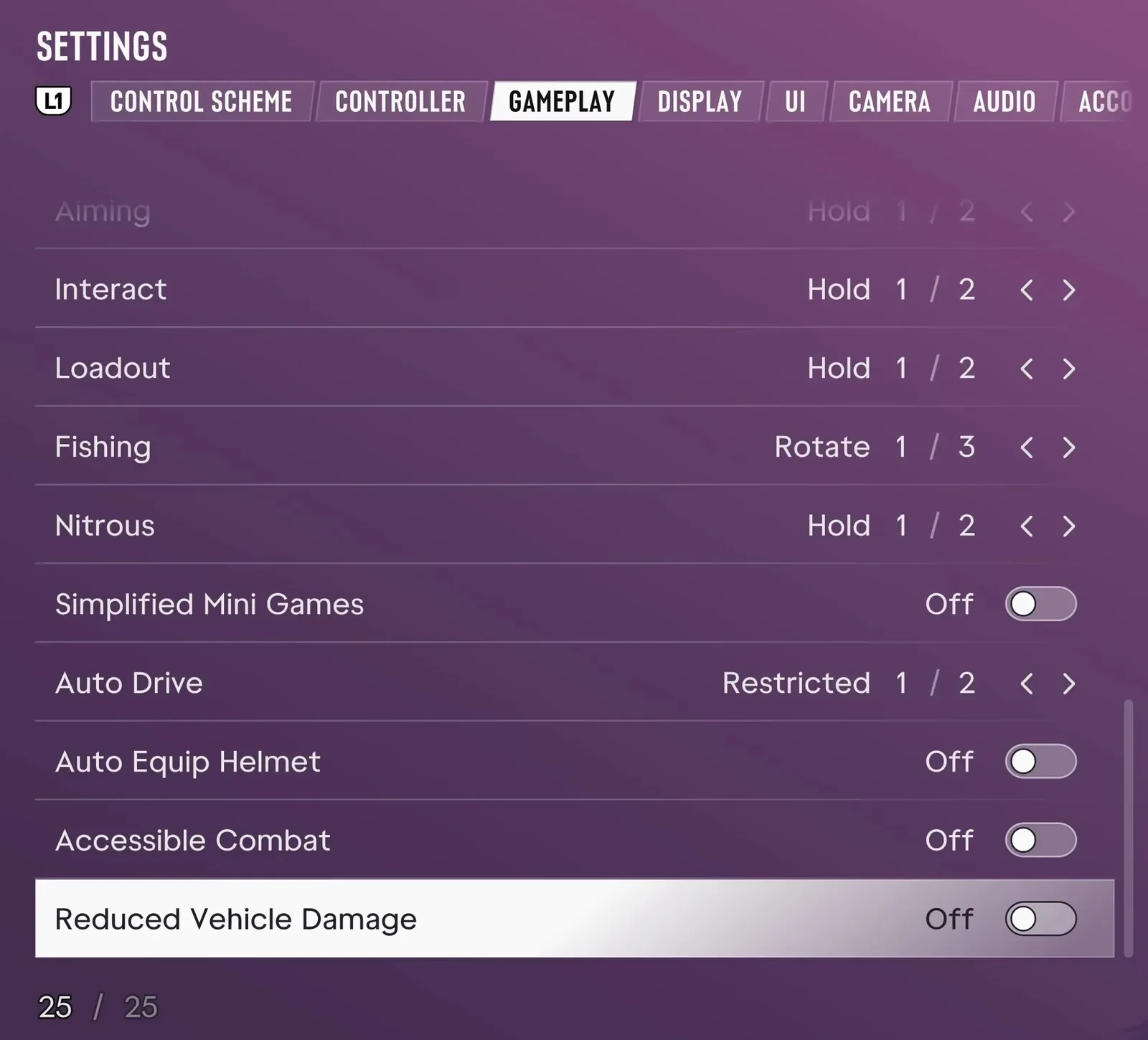
The accessibility options sit in the Gameplay tab. Auto Drive has a setting for when it may be used, and the auto drive guide covers it. Helmets can go on by themselves, and Reduced Vehicle Damage is the last switch on the list.
Discussion
Comments · Best settings
No comments yet.
Loading comments…