
GTA 6 explains its big systems and leaves the small ones for you to trip over. This is a list of controls and rules that no tutorial covers, one line each, grouped by where you are when you need them.
Quick take
- Hold D-pad Down for Quick Navigation: time slows and nearby activities and shops appear.
- Hold D-pad Left in a vehicle, then push the right stick up for the boot, hazard lights, full beam and windows.
- Double tap Triangle or Y on the way out to leave the engine running.
- Hold Square or X against a stuck or flipped car to shove it.
- A toll is $5, and none is charged in a stolen or borrowed car.
What This Page Is
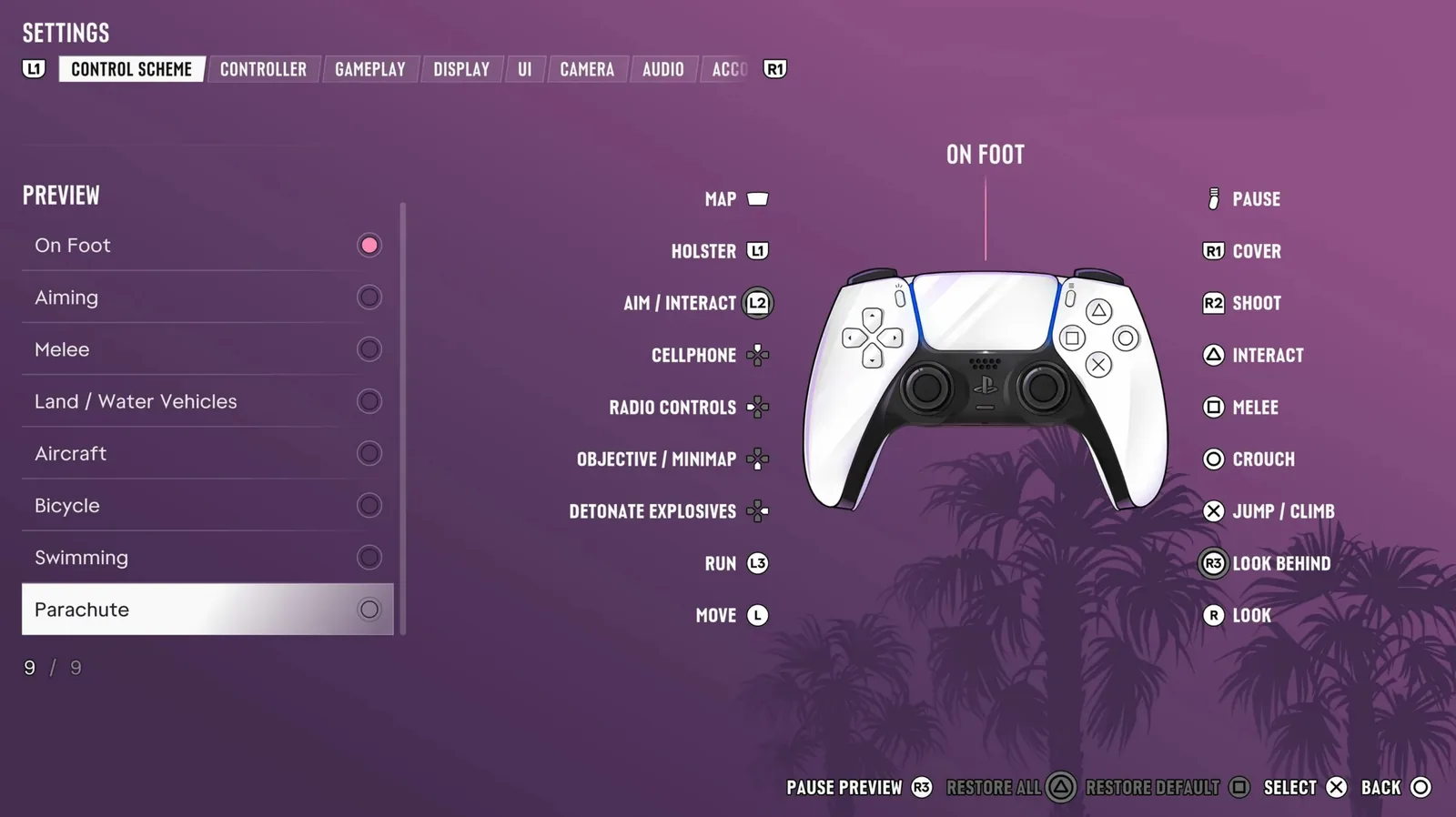
Small controls and rules that no tutorial covers, one line each. None repeats an entry from our beginner tips, and the full button list is in the controls guide.
Hidden Holds on the D-pad
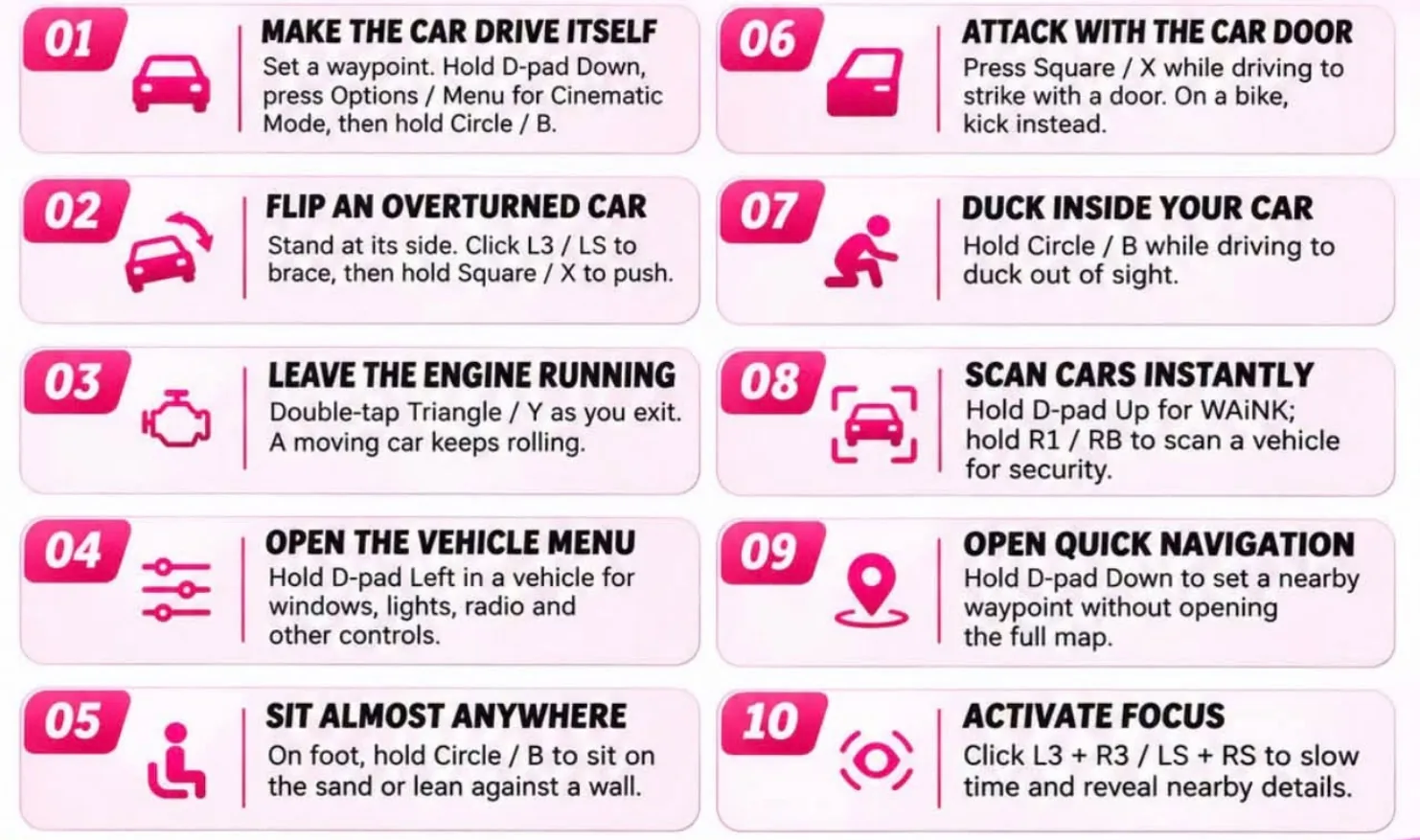
- Hold D-pad Down. Quick Navigation. Time slows and the activities and shops round you appear. L1 and R1, or LB and RB, step through them, R3 sets a waypoint, and fences show who pays most for what.
- Hold D-pad Left. The radio wheel. In a vehicle, push the right stick up for the vehicle options: boot, hazard lights, full beam and windows. Push it down for the podcasts.
- Tap D-pad Left or Right while driving. Indicators. They cancel themselves after the turn.
In and Round the Car
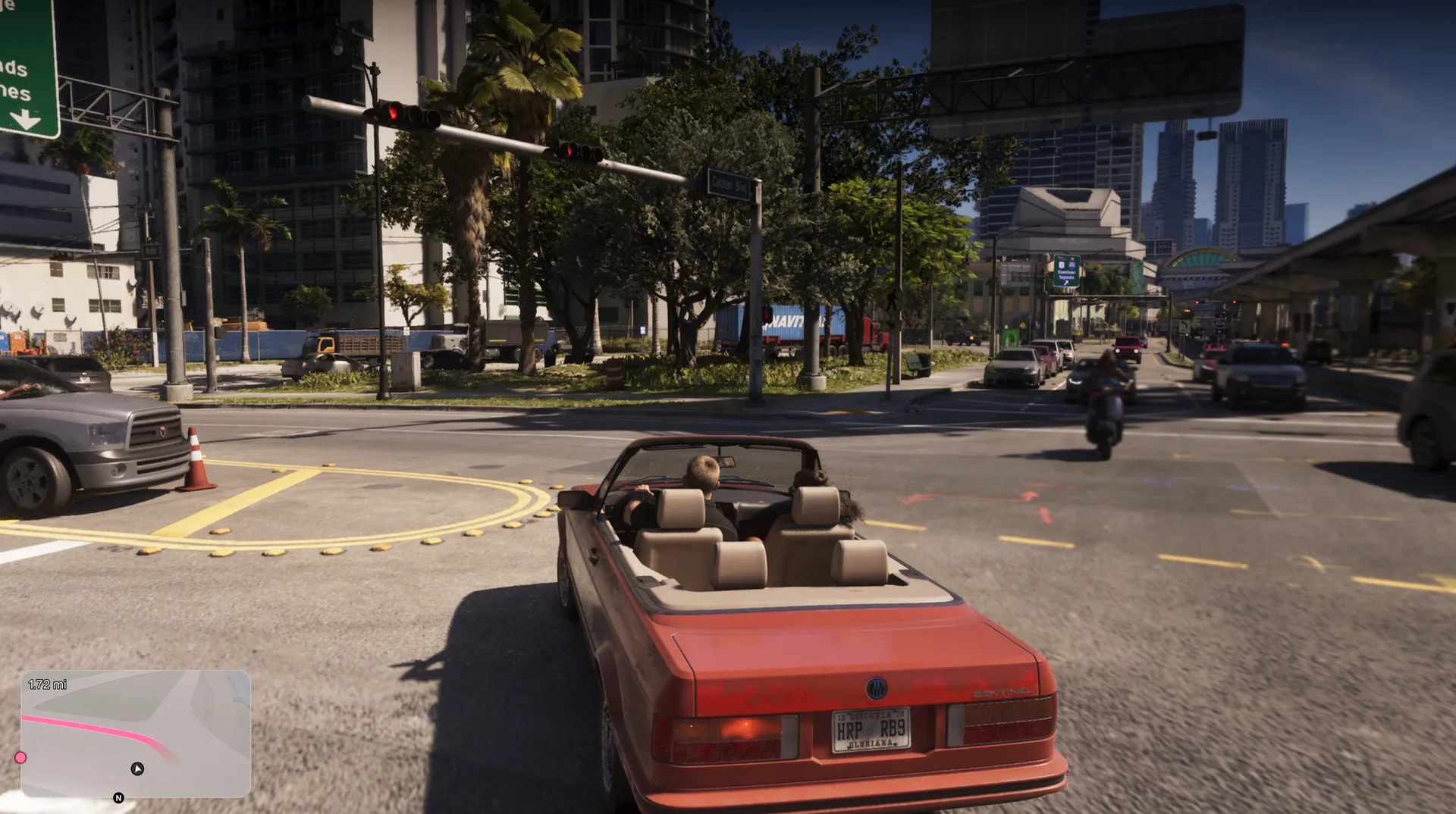
- Double tap Triangle or Y on the way out. The engine stays running. A boat left this way keeps cruising.
- Press Square or X at the wheel. The door swings open, which knocks a passing rider off a bike.
- Click R3. Jason or Lucia shouts at the traffic.
- Hold D-pad Up. Interact with people from the driving seat.
- Hold Square or X against a vehicle. A shove that frees a stuck car and rights a flipped one. It works on small beached boats as well.
- Click L3 and R3 together. Focus works at the wheel and slows time.
On Foot
- Hold Circle or B. Rest. Jason leans on a rail or sits down on a dock.
- Hold L2 or LT, then press R1 or RB. The middle finger, which can start a fight or an arrest.
- Press Square or X at a witness on the phone. It slaps the phone out of their hand.
- Hold L2 or LT and keep pressing Defuse. Back away from the police while you do it, and they can be talked down.
The Map Fills Itself
Opening a Snapmatic post, reading a notice board, a poster or a magazine, and opening a text that carries a location can each put a new place or contact on the map. Read everything once.
Small Rules With a Price
- A toll is $5 each time. None is charged in a stolen or borrowed car.
- Airboats sink in open water.
- A boat drifts off unless you drop the anchor.
- An angry RydeMe driver can get you banned from the app for a while.
- A heart or an hourglass beside a mission means it will not wait.
- Earbuds from Zeke’s Gadgets put the radio in your ears on foot.
Discussion
Comments · Things the game does not tell you
No comments yet.
Loading comments…